
Stuck and cannot get past the Hardware Test on an iOS Device?
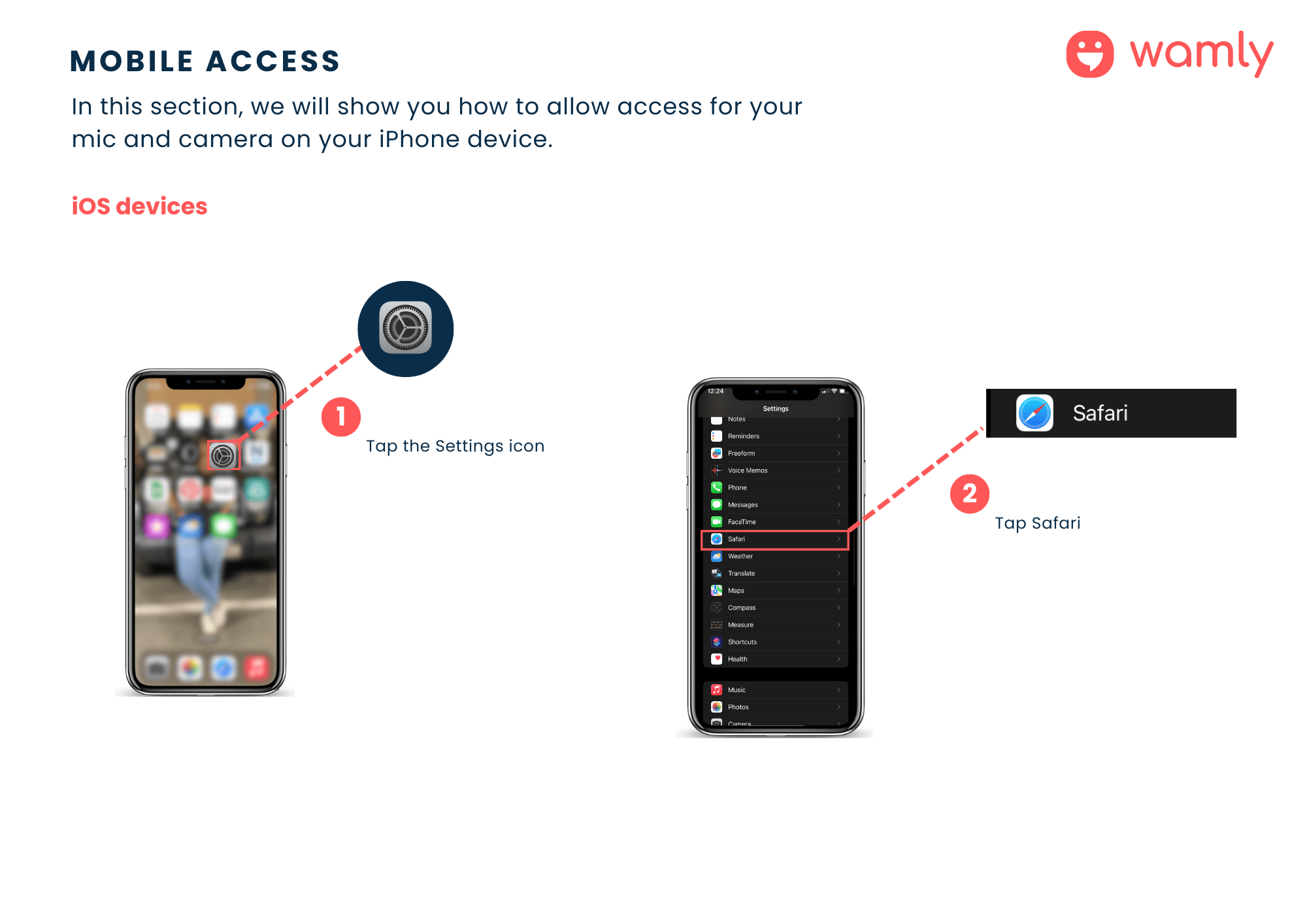
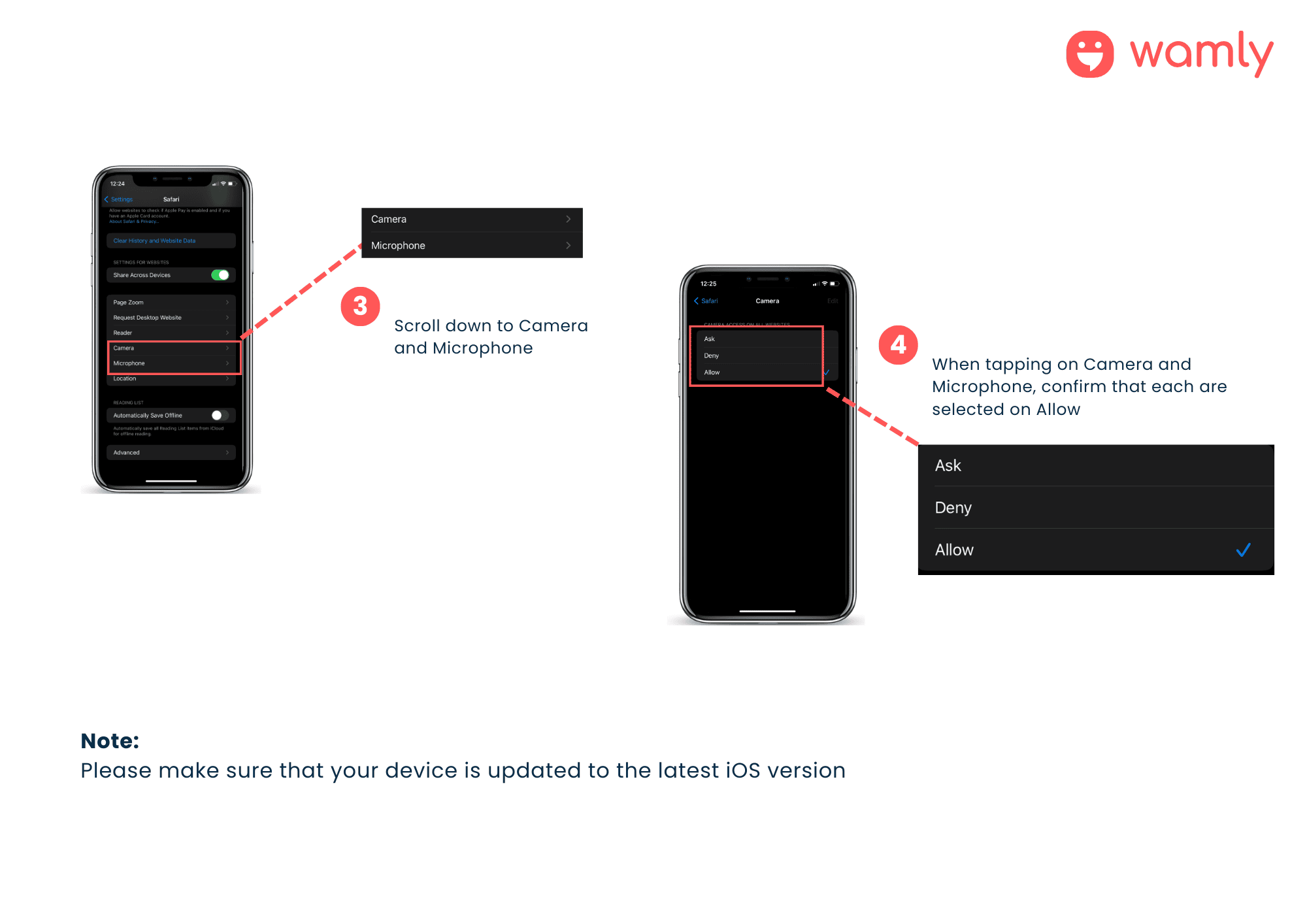
Here's a step-by-step guide on how to access and modify the camera and microphone settings and permissions on your iOS device in your Safari browser to pass the hardware test:
Step 1: Tap on the Settings Icon.
Step 2: Tap on Safari.
Step 3: Scroll down to the Camera and Microphone.
Step 4: When tapping on the Camera and Microphone, confirm that each are selected on Allow.
You can also click Get Help on the device check screen for step-by-step guidance, without losing your place in your application.