
If you log into Wamly without Multi-Factor Authentication configured, you'll be asked to set it up. If your organisation requires MFA, you must add at least one method to continue; otherwise you can click Skip.
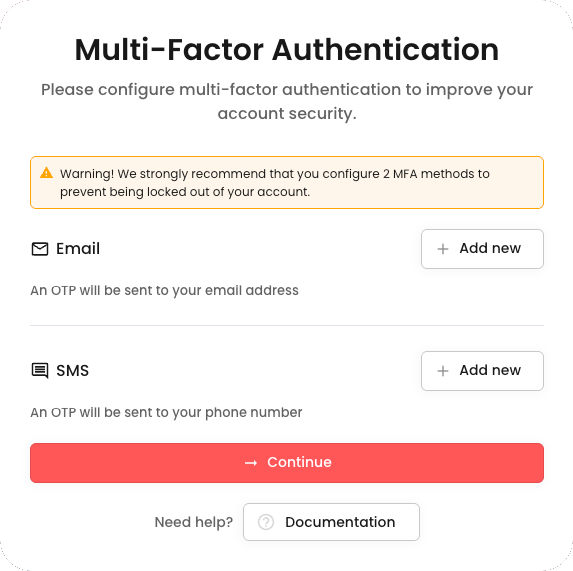
There are two MFA methods you can configure:
- Email One-Time PIN
- SMS One-Time PIN
We strongly recommend configuring at least two MFA methods, so you're not locked out if you lose access to one.
Email One-Time PIN
Under the Email heading, click Add new, then enter an email address to verify.
You cannot use your primary Wamly email.
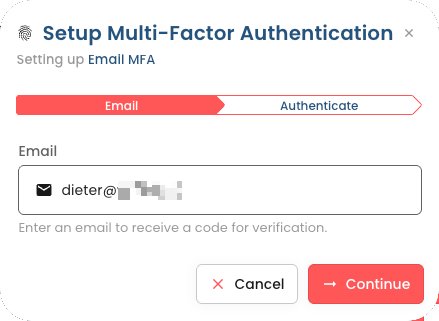
Click Continue, then enter the OTP sent to that email address to verify your identity.
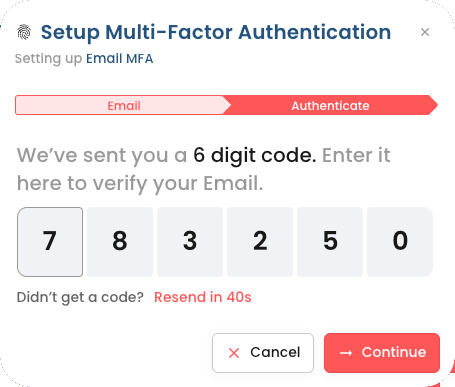
Click Continue.
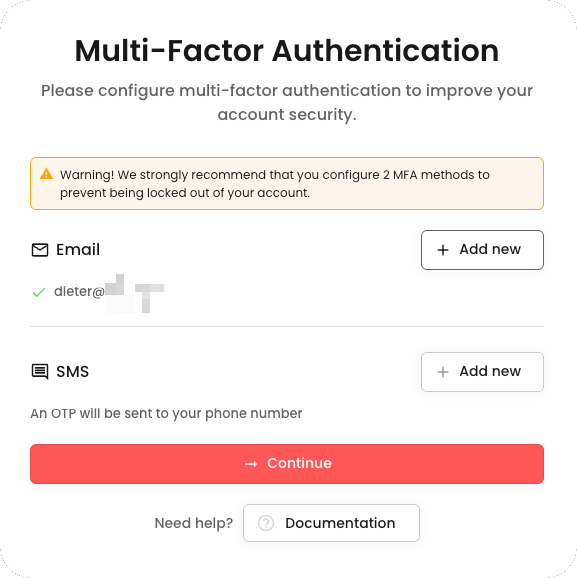
SMS One-Time PIN
Under the SMS heading, click Add new, choose your country and enter your phone number.
International format = a plus sign (+), then country code, city code, and local number. Example (South Africa, country code 27): the number "(074) 123 5678" becomes "+27 74 123 5678". Remove leading zeros.
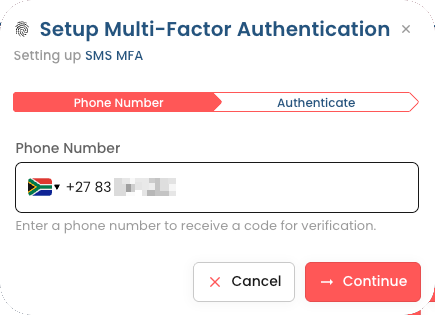
Click Continue, then enter the OTP sent to that phone number.
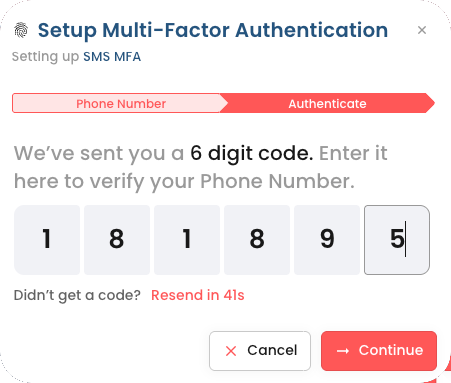
Click Continue.
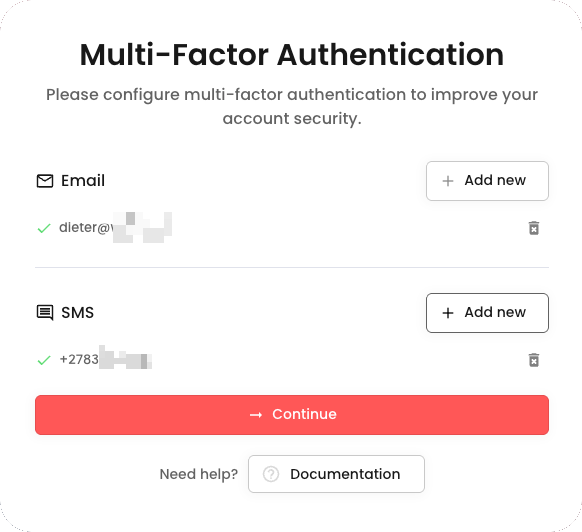
Click Continue to proceed to the Wamly app.