
You are able to view reports in a live dashboard format or download for ease of use and data manipulation as required.
There are four levels of reporting in Wamly :
- Users
- Projects
- Applications
- Email Logs
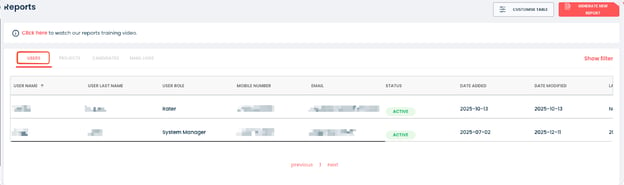
Users
A list of users detailing their name, email address, mobile number, seat, status, groups, role assignments, departments and last login.
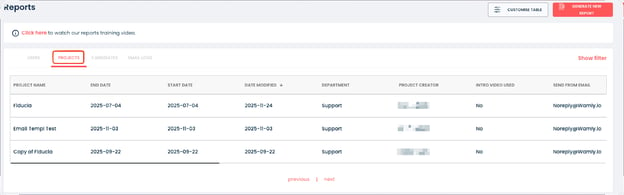
Projects
A list detailing all projects as well as Project related detail and settings.
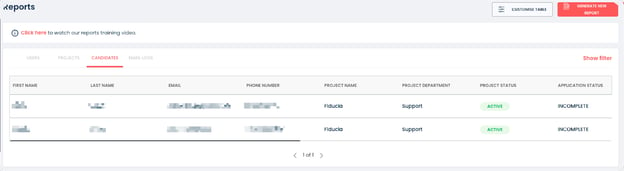
Candidates
A list detailing all candidates that have applied to respective projects with project and application stages.
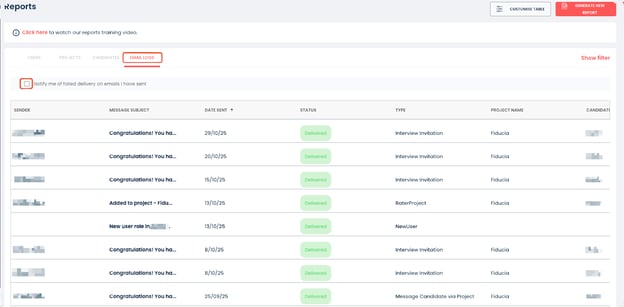
Email Logs
A log listing all emails sent to Candidates from the Wamly system.
You are able to select if you want to be notified when an email fails to deliver.
Generating Reports
You are able to generate comprehensive and detailed reports on each of the given sections.
Email Logs: Exporting email logs depends on your package. If it is not included, you will see an upgrade message.
Select the section you would like a report generated on, click “Generate Report” and the selected report will be emailed to the logged in Wamly User’s email address.
Project Reports
For more information regarding Project Reports refer to this article.